
Product repository: INNO-MAKER/CAM-IMX585
CAM-IMX585-Mono / CAM-IMX585-Color
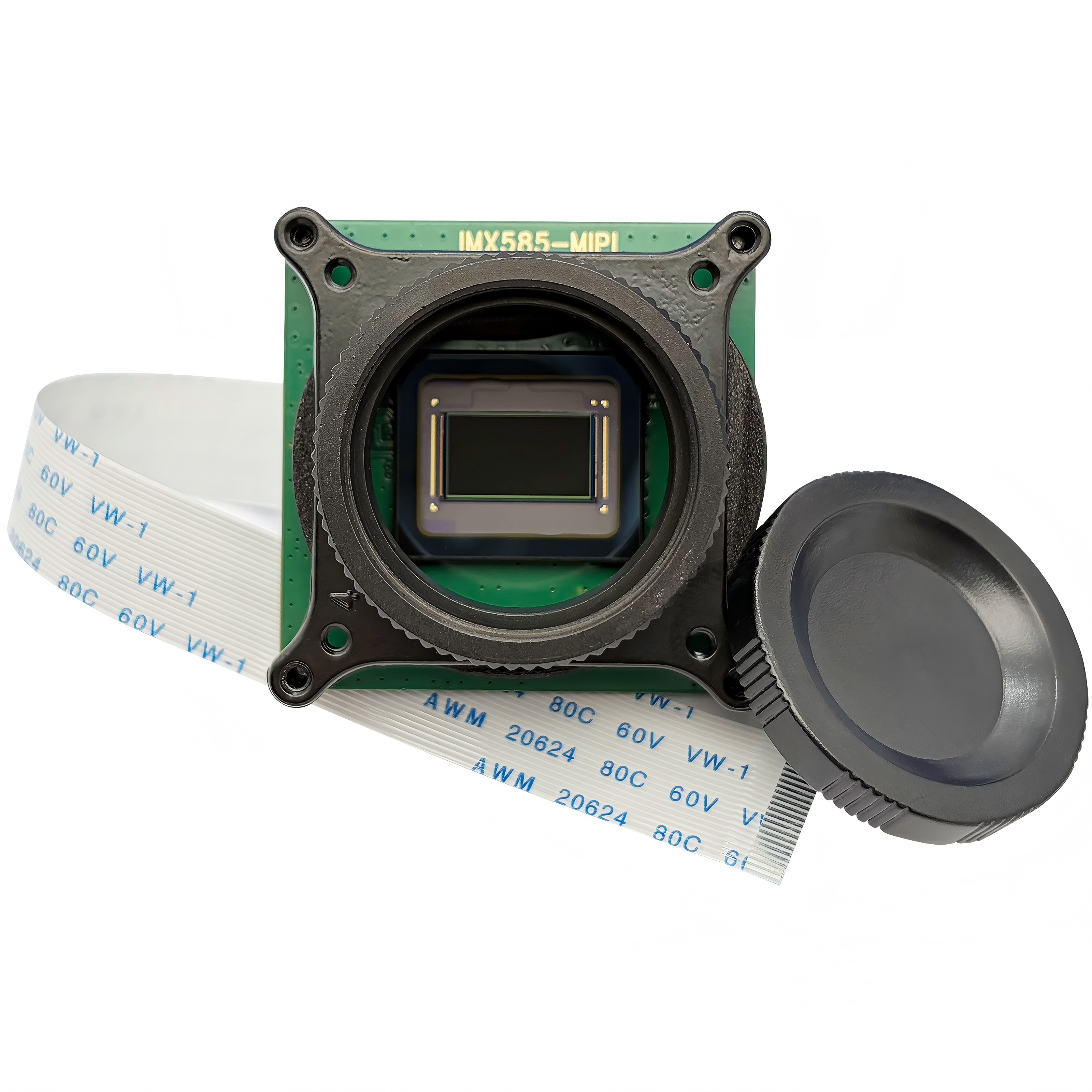
8.3MP 4K MIPI Camera Module — Sony IMX585 Starvis 2 · Raspberry Pi 5
Overview
The CAM-IMX585-Mono and CAM-IMX585-Color are professional-grade MIPI camera modules built on the Sony IMX585 Starvis 2 back-illuminated CMOS sensor. The Mono variant delivers enhanced low-light sensitivity and near-infrared response; the Color variant provides full RGB imaging with the same 8.3MP 4K resolution.
Both models connect via a 4-lane MIPI CSI-2 interface. An on-board FT24C02A EEPROM (256 bytes, I2C 0x50) is available for calibration data storage.
Key Features
| Feature | Details |
|---|---|
| Sensor | Sony IMX585 (Mono / Color) — Starvis 2 back-illuminated |
| Resolution | 8.3MP — 3840 × 2160 (4K UHD) |
| Optical Format | 1/1.2" |
| Pixel Size | 2.9 µm × 2.9 µm |
| RAW Output | 10 / 12 / 16-bit (driver-dependent) |
| Interface | MIPI CSI-2 4-lane, 1.5 Gbps/lane, 22-pin FPC |
| Lens Mount | CS-mount / M12 |
| Dimensions | 38 mm × 38 mm |
| EEPROM | FT24C02A, 256 bytes, I2C 0x50 |
| Supported Platform | Raspberry Pi 5 |
Video Modes
Normal SDR:
| Resolution | Frame Rate | Format | Notes |
|---|---|---|---|
| 1928 × 1090 | 60 fps | R12_CSI2P | 1080p cropped |
| 3856 × 2180 | 30 fps | R12_CSI2P | 4K all-pixel |
ClearHDR (enabled via wide_dynamic_range V4L2 control):
| Resolution | Frame Rate | Format | Media-bus Code | Notes |
|---|---|---|---|---|
| 3856 × 2180 | ~22 fps | 16-bit linear | SRGGB16 / Y16 | Smoothest gradation; manual exposure required |
| 3856 × 2180 | ~22 fps | 12-bit CCMP | SRGGB12 / Y12 | Wide range compressed to 12-bit; AGC works |
ClearHDR halves the frame rate (VMAX ×2) and reduces the maximum analogue gain to 80. Frame rate and exposure limits vary with resolution — use
v4l2-ctl --list-ctrlsfor live values.
Driver Options
Three Raspberry Pi 5 deployment paths are available. Install a compatible kernel driver before installing the runtime package.
| Option | Method | ClearHDR | Best For |
|---|---|---|---|
| Pre-compiled driver packages | Extract + run install.sh | ✅ | Quick setup on a supported OS/kernel version |
| Runtime package | Extract + run install.sh | ✅ | Update libcamera only, kernel driver already installed |
| Upstream open-source driver | Build the external source with DKMS | Refer to upstream | Source review and custom builds |
Supported pre-compiled driver versions:
| Package | OS | Kernel |
|---|---|---|
imx585-driver-pi5-k6.12.47+rpt-rpi-2712-20260720-092432.tar.gz | Debian Trixie | 6.12.47+rpt-rpi-2712 |
See raspberry_pi_driver/UserManual.md §1 for installation steps.
Runtime Package and Upstream Source
Runtime Package — libcamera 0.6.0 + rpicam-apps (imx585-runtime-pi5-libcamera0.6.0-debian13-20260719-233712.tar.gz)
Installs the IMX585-enabled libcamera 0.6.0 and rpicam-apps userspace stack under /usr/local on Debian Trixie (13) / Raspberry Pi 5. It does not install a kernel driver; install a compatible driver first.
tar -xzf imx585-runtime-pi5-libcamera0.6.0-debian13-20260719-233712.tar.gz
cd imx585-runtime-pi5-libcamera0.6.0-debian13-20260719-233712
sudo ./install.sh
The accompanying SHA-256 file verifies the archive before installation.
Upstream Open-Source Kernel Driver — will127534/imx585-v4l2-driver
The offline pkg1 source archive is not distributed in this repository. The linked public upstream project provides IMX585 V4L2 driver source and its own DKMS build and setup instructions. Review its compatibility notes and documentation before using it with this camera module.
ClearHDR
ClearHDR is the IMX585 sensor's built-in single-frame wide dynamic range feature, based on Dual Conversion Gain (DCG). A single exposure is read out simultaneously at High Gain (HG) and Low Gain (LG) and combined inside the sensor — no motion artifacts, no multi-frame blending.
When ClearHDR is enabled, libcamera defaults to 16-bit linear output (SRGGB16 / Y16). This provides the smoothest highlight gradation, but ISP statistics are not valid at 16-bit — manual exposure is required.
For plug-and-play auto-exposure, the 12-bit CCMP output (SRGGB12 / Y12) compresses the wide dynamic range back into 12-bit, making AGC statistics valid. This is the recommended mode when manual exposure control is not desired.
Monochrome sensor note: On the Mono variant, the 12-bit CCMP output must be used for ClearHDR — the 16-bit output produces full-frame noise on a mono sensor. The Color variant supports both 16-bit and 12-bit CCMP outputs.
ClearHDR is toggled at runtime via a single V4L2 control — no reboot or device-tree change required. See raspberry_pi_driver/UserManual.md §4–6 for the full setup guide.
Repository Structure
| Path | Description |
|---|---|
raspberry_pi_driver/ | All Raspberry Pi 5 driver packages and user manual |
raspberry_pi_driver/UserManual.md | Full installation, ClearHDR setup, and usage guide for Raspberry Pi 5 |
raspberry_pi_driver/precompiler-driver/ | Pre-compiled kernel modules for specific OS/kernel versions |
will127534/imx585-v4l2-driver | Public upstream IMX585 V4L2 kernel-driver source and setup documentation |
raspberry_pi_driver/imx585-runtime-pi5-libcamera0.6.0-debian13-20260719-233712.tar.gz | libcamera 0.6.0 runtime package for Debian Trixie (install without recompiling) |
raspberry_pi_driver/imx585-runtime-pi5-libcamera0.6.0-debian13-20260719-233712.tar.gz.sha256 | SHA-256 verification file for the runtime package |
i2c-tools/ | Python utility for EEPROM read/write over I2C |
i2c-tools/README.md | EEPROM usage documentation |
mechanical/ | Mechanical design files |
mechanical/CAM-IMX585.stp | 3D model — STEP format (compatible with SolidWorks, Fusion 360, FreeCAD, etc.) |
CAM-IMX585-Mono-Color-User-Manual.pdf | Hardware user manual (PDF) |
Getting Started
Raspberry Pi 5
Full installation instructions, device-tree options, ClearHDR setup, and capture commands are in:
Quick path:
- Choose a compatible pre-compiled driver or review the linked upstream open-source driver.
- Configure
/boot/firmware/config.txtwith the appropriatedtoverlay— seeUserManual.md §2 - Install the runtime package if its bundled libcamera + rpicam-apps stack is required.
- Reboot after driver or device-tree changes, then verify with
rpicam-hello --list-cameras.
Preset OS Image
A pre-configured Raspberry Pi OS image with all drivers pre-installed is available:
Download: https://www.jianguoyun.com/p/DWqJpGAQpdSrBxil9p8GIAA · Password: exgk55
Applications
- Security & Surveillance — 24/7 monitoring, near-IR night vision (Mono)
- Industrial & Machine Vision — AOI, robotics, precision inspection
- Broadcast & ProAV — live streaming, drone cameras
- Scientific & Medical — microscopy, diagnostics, high-DR imaging
- Automotive — ADAS, surround-view
Support
- Website: www.inno-maker.com
- Email: support@inno-maker.com