
Product repository: INNO-MAKER/u3v-cam-imx296
U3V-CAM-IMX296 USB3 Vision Industrial Camera
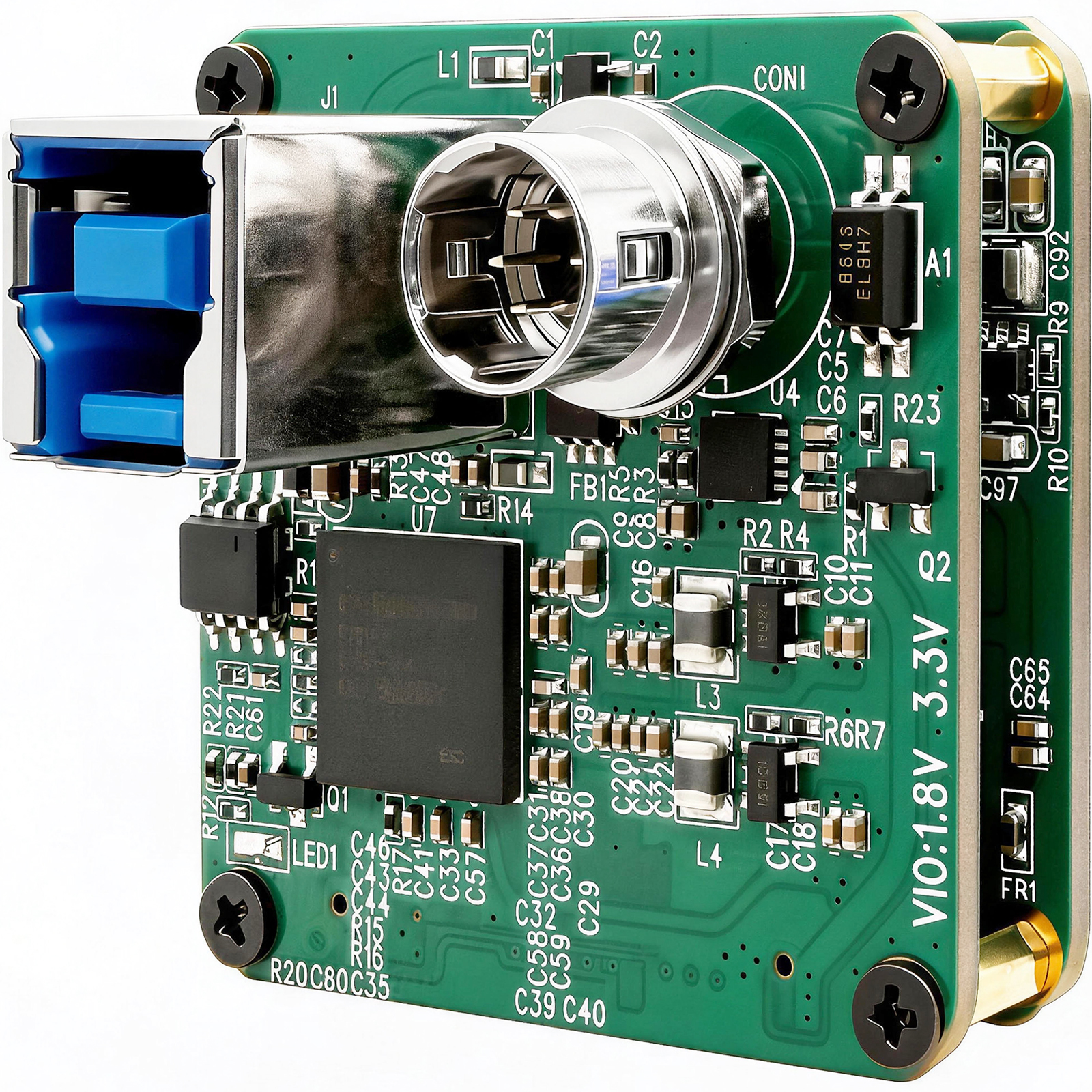
The U3V-CAM-IMX296 is a high-performance USB3 Vision industrial camera featuring the Sony IMX296LLR (monochrome) global shutter CMOS sensor. With a resolution of 1.58 MP (1456 × 1088) and a full-resolution frame rate of 60 fps, it provides reliable, distortion-free imaging for demanding machine-vision applications such as motion analysis, automation, robotics, and scientific imaging.
The camera is 100% compliant with USB3 Vision v1.0 and GenICam 3.x standards, offering plug-and-play compatibility across all major software platforms.
Key Features
- Sony IMX296 Global Shutter Sensor: 1/2.9" CMOS sensor with 3.45 µm pixels, ensuring zero rolling distortion.
- High Frame Rate: Up to 60 fps at full resolution (1456 × 1088); exceeds 1900 fps with reduced ROI.
- True Analog Gain: 0–48 dB range with 0.1 dB steps for extremely low-noise imaging.
- Long Exposure: Supports manual shutter with true long-exposure capability (≥ 15 seconds).
- Precise Synchronization: Opto-isolated hardware trigger (5–24V) and strobe output with 0.1 µs hardware timestamping.
- Industrial Design: USB 3.0 bus-powered, compact form factor, and on-board temperature monitoring.
- Standard Compliance: Fully compatible with any GenICam-compliant software without proprietary patches.
Specifications
| Feature | Specification |
|---|---|
| Sensor | Sony IMX296LLR (Monochrome, Global Shutter) |
| Resolution | 1456 (H) × 1088 (V), 1.58 MP |
| Pixel Size | 3.45 µm × 3.45 µm |
| Max Frame Rate | 60 fps @ Full ROI (Mono8) |
| Exposure Time | 29 µs to ≥ 15 seconds |
| Analog Gain | 0 – 48 dB (0.1 dB steps) |
| Interface | USB 3.0 (Type-C or Micro-B depending on model) |
| I/O Connector | 6-pin Hirose (Trigger In, Strobe Out, GND) |
| Power | USB Bus-powered, 5V / ≤ 3.2W |
| Lens Mount | M12 (Default) / CS-Mount (Optional) |
| Operating Temp | -10 °C to +65 °C |
1. Hardware
6-pin Hirose Connector Pinout (HR10A-7R-6P)
| Pin | Signal | Description |
|---|---|---|
| 1 | GPIO_B33 | Reserved |
| 2 | Trig + | Opto-isolated Trigger Input (+) |
| 3 | GPIO_A33 | Reserved |
| 4 | STROBE + | Opto-isolated Strobe Output (+) |
| 5 | STROBE - / Trig - | Opto-isolated I/O Ground |
| 6 | GND | System Ground |
For detailed hardware dimensions, connector parameters, and wiring diagrams, refer to the U3V-CAM-IMX296 User Manual V1.2.pdf.
2. InnoMaker SDK
The InnoMaker U3V SDK (version 2.3.2) is the recommended choice for developers who need direct, low-level camera access and maximum performance. It provides a lightweight Windows 10/11 x64 C/C++ API and a Windows Python package, both built on the same underlying shared library.
SDK version: 2.3.2 — Last updated: 2026-08-19
For full installation instructions, package contents, API reference, and code examples, see:
Available Packages
| Package | Platform | Description |
|---|---|---|
u3v-sdk-2.3.2-windows-x64.zip | Windows 10/11 x64 | C/C++ SDK + Qt6 viewer, fully self-contained (~24 MB) |
u3v-sdk-2.3.2-python-windows-x64.zip | Windows 10/11 x64, Python 3.8+ | Python package with the bundled Windows native library (~0.2 MB) |
Supported Platforms
| Platform | Architecture | Status |
|---|---|---|
| Windows 10 / 11 | x64 | ✅ Fully Supported |
3. Windows Driver Switching (InnoMaker SDK ↔ eBUS Player)
On Windows, the InnoMaker SDK uses the WinUSB driver, while eBUS Player / eBUS SDK installs its own Pleora USB driver. These two drivers are mutually exclusive — only one can be active at a time for the same device.
Step 1: Uninstall the current driver
- Open Device Manager (
Win + X→ Device Manager) - Locate the camera under Universal Serial Bus devices or Imaging devices
- Right-click the device → Uninstall device
- Check Delete the driver software for this device (if prompted), then click Uninstall
- Unplug the camera and plug it back in
Step 2: Install the target driver
- Switch to InnoMaker SDK (WinUSB): Run
tools\zadig-2.9.exefrom theu3v-sdk-2.3.2-windows-x64package, select the camera device, choose WinUSB, and click Install Driver. - Switch to eBUS Player (Pleora USB): Launch the eBUS SDK installer or eBUS Player — it will automatically install the Pleora USB driver on first run.
Tip: If the camera is not recognized after switching, try unplugging and replugging the USB cable, or restart the computer.
4. Third Party SDK
The U3V-CAM-IMX296 is 100% USB3 Vision / GenICam compliant and works out-of-the-box with any standard-compliant software. The following third-party tools are verified and supported.
eBus Player (Pleora / JAI)
eBUS Player is a full-featured GUI application for controlling GenICam-compliant cameras. It supports live preview, camera parameter adjustment, data logging, and multi-camera management. The eBUS SDK additionally provides C++ and Python APIs for custom application development.
Supported platforms: Windows 10/11, Linux x86_64, Linux ARM64 (Raspberry Pi 4/5 Bookworm)
Downloads (official latest):
- Windows / Linux: https://www.jai.com/support-software/jetson-ubuntu
Local package for Raspberry Pi 5 (pre-downloaded, no internet required):
eBusPlayer&Aravis_PI5_Linux/ebus_for_raspberry_pi5/—.debinstaller + quick start guides (C++, .NET, Python, Linux, Pi 4/5)
Note: eBUS SDK requires a Pleora license for production use. Without a license, the viewer and SDK operate in evaluation mode (watermarked output, limited streaming duration).
Aravis (Open-Source GenICam)
Aravis is an open-source GenICam implementation for Linux (GNOME Project), providing a lightweight alternative to eBUS for custom application development.
Local package for Raspberry Pi 5:
Pre-installed OS Image for Raspberry Pi 5
A pre-configured Raspberry Pi 5 OS image with all software (InnoMaker SDK, eBUS Player, Aravis) pre-installed is available for download:
Download: https://www.jianguoyun.com/p/DXuEVqMQpdSrBxiqmp0GIAA
Password: uwpui3
Repository Structure
| Directory / File | Purpose |
|---|---|
InnoMaker_SDK/ | InnoMaker U3V SDK v2.3.2 packages (Windows 10/11 x64 C/C++ SDK and Windows Python package) |
InnoMaker_SDK/DELIVERY_OVERVIEW.md | Full SDK documentation: package contents, installation, API reference |
InnoMaker_SDK/RELEASE_NOTES.md | SDK changelog and version history |
InnoMaker_SDK/DLL_USAGE.md | C/C++ and Python library integration guide |
InnoMaker_SDK/TRIGGER_USAGE.md | External hardware trigger guide (wiring, Arduino, Pi, Jetson, STM32, PLC) |
InnoMaker_SDK/WHATS_NEW.md | Customer-facing summary of improvements across SDK versions |
InnoMaker_SDK/u3v-sdk-2.3.2-windows-x64.zip | Windows 10/11 x64 C/C++ SDK + Qt6 viewer, fully self-contained (~24 MB) |
InnoMaker_SDK/u3v-sdk-2.3.2-python-windows-x64.zip | Windows 10/11 x64 Python 3.8+ package with the bundled Windows native library (~0.2 MB) |
eBusPlayer&Aravis_PI5_Linux/ | eBUS Player and Aravis packages for Raspberry Pi 5 / Linux |
eBusPlayer_Win/ | Windows eBUS Player download links |
PreInstalled-IMG-PI5/ | Download link for pre-configured Raspberry Pi 5 OS image |
images/ | Product images |
U3V-CAM-IMX296 User Manual V1.2.pdf | Complete hardware and software documentation |
Support
- Website: www.inno-maker.com
- GitHub: github.com/INNO-MAKER
- Email: support@inno-maker.com | sales@inno-maker.com | zoujy@inno-maker.com